MeasureCamp Copenhagen – networking, insights and fun!

Due to this text being way too long for LinkedIn, I post it here instead and try to squeeze it down to one third for LinkedIn. All those in favor of more space for yout thoughts on LinkedIn, raise your hand!

Yesterday was just as fantastic a day as I presumed! I attended both some awesome sessions and met interesting people in between, during the breaks. 

As I ran a session myself on using R as a tool for data wrangling (thank you Jakob Styrup Brodersen for the kind words) I only had time to attend six sessions myself. All of them brilliant! And as always, it is so hard to choose… I missed out on many of the sessions I had wished so attend, like my colleague Mikko Piippo’s session on minimising analytics, Gunnar Griese’s session on how to sleep well at night whilst ensuring the data quality of GA4 and Jonas Velander’s session on improving customer journeys, just to mention a few.

The first thing I did on arrival, though, was securing my own PiwikPro hoodie! They are hot stuff in the MeasureCamp community and finally I had the opportunity to get one. And I’m currently travelling home to Helsinki via train and ferry wearing it. A bit tired, but very happy! And the hoodie is very comfy on a bit of a chilly and rainy day.

Before the sessions started Jomar Reyes and Steen Rasmussen gave the tradidional introductory speech about what an unconference is. Putting their local flavour on things of course. As the event takes place in Denmark, the main price raffled out amongst the attendants was of course a Lego set. But not just any Lego set. It was the recently released set for Sauron’s tower! The happy recipient at the end of the day was Chris Beardsly. The rest of us were left envious, with no giant Lego set to try to get home somehow. The Lego set would have been just perfect for us at Hopkins since we like to complete jigsaw puzzles together, and this would have been such a nice thing to bring home to our office to complete as the next puzzle. But we are, of course, happy on the behalf of Chris.

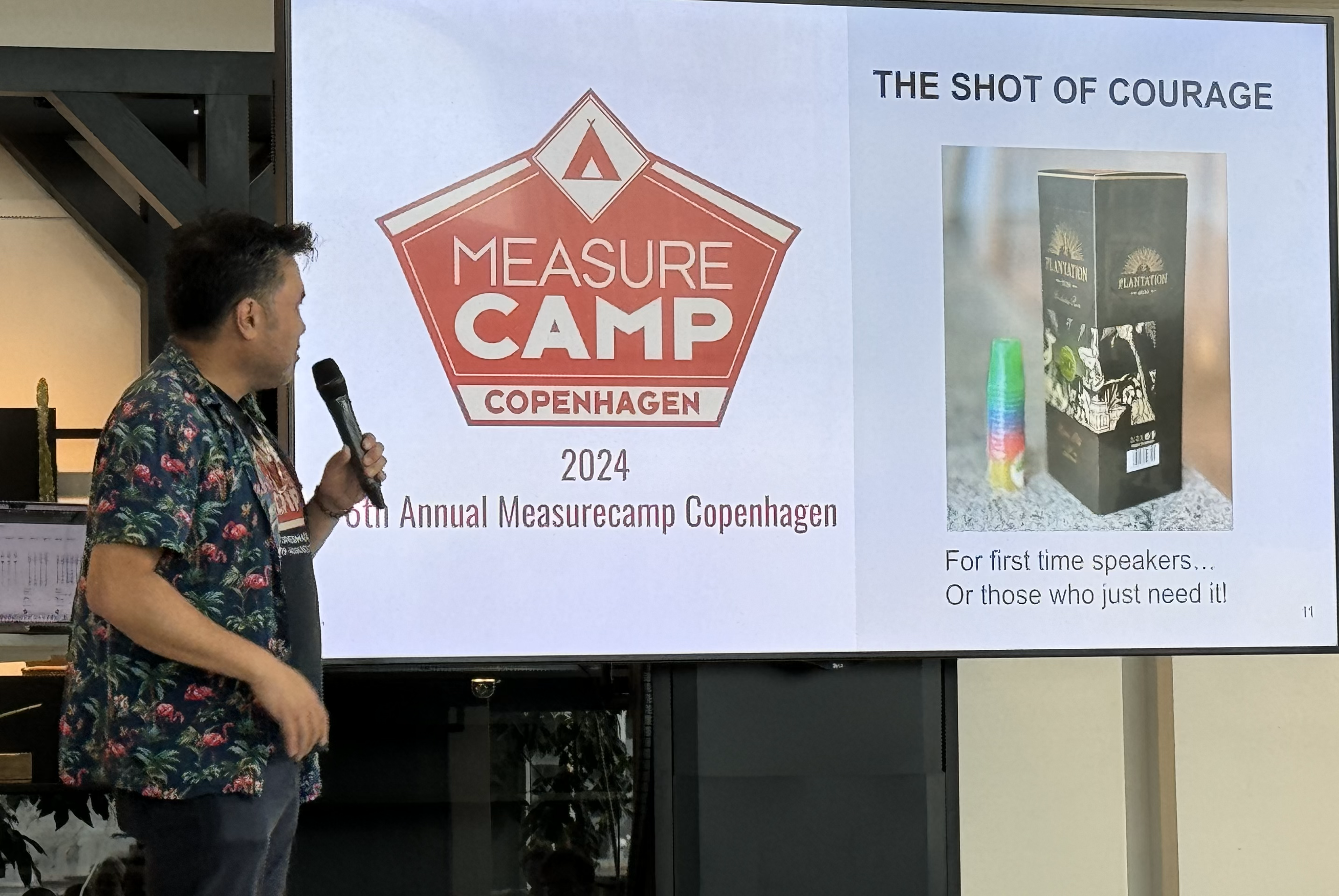
Another local flavour (pun not intended) was the Shot of Courage. For those with stage fright, or otherwise in need, there was a bottle of rum available. And some small shot glasses. Only in Denmark…
So, then to the sessions. In chronological order:

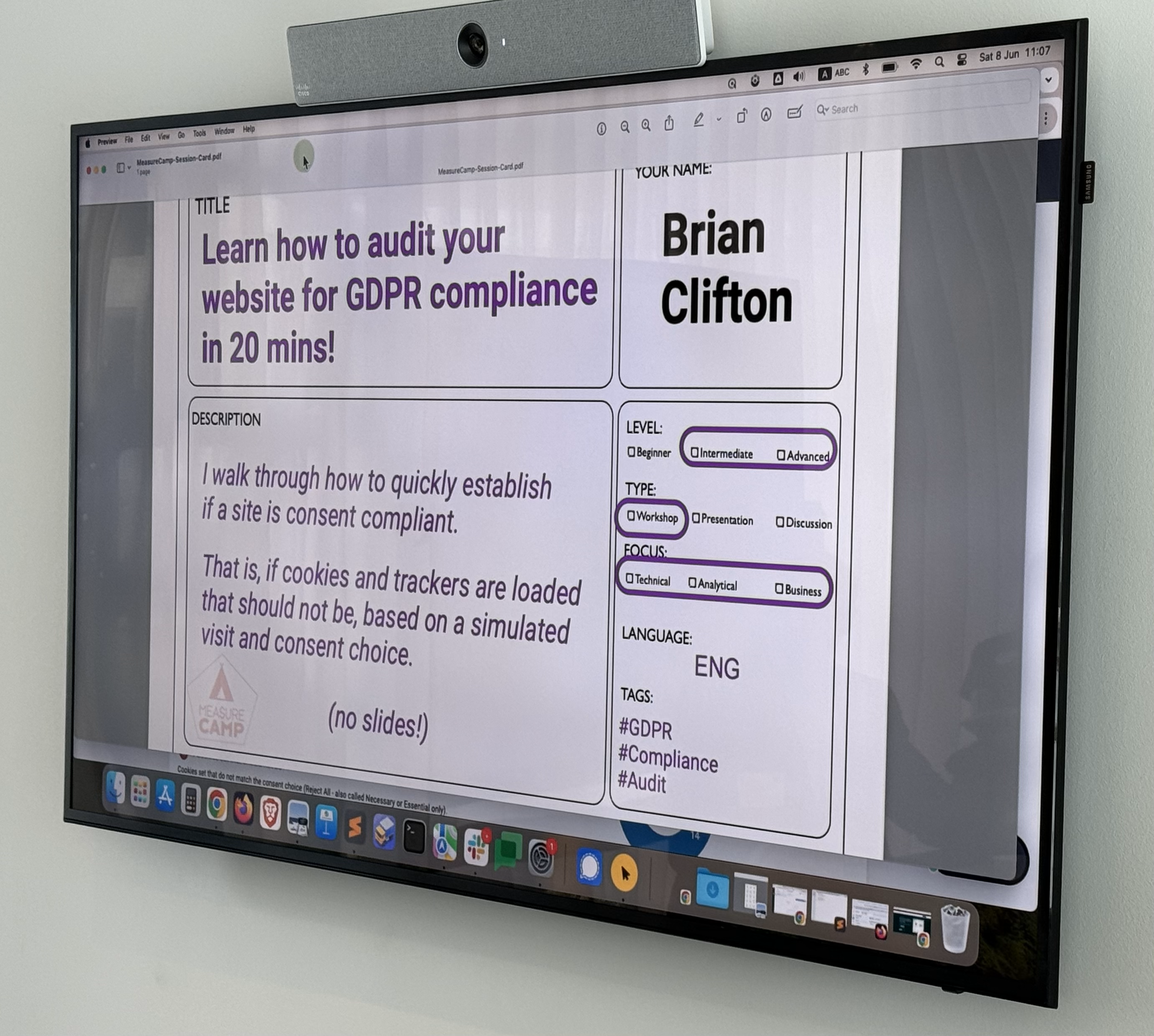
First out was BrianClifton talking about the importance of keeping track on what you’re tracking. Pointing out that you need to be mindful of all tracking that is happening, not only the cookies that everyone is talking about. For the people less into web technology it is important to understand that all the tracking done by a website is visible to the knowledgeable customer. Therefore it is very important to stay on top of your own websites (and apps!) and make sure that you track only the things the customer has given consent for. There are tools for this, one of them being Verified Data that we also use at Hopkins.
Second up was Johan Strand presenting they way they work at Ctrl Digital with utilising Google Analytics 4 data in BigQuery and LookerStudio. Johan showed us how they have started using DataForm as tools for ironing out the wrinkles of the out-of-the-box data model GA4 in BQ. A big shout out to Johan for sharing his observations and solutions with the community! Let’s all follow Johan’s example and help each other out, together lifting the craft of analytics to higher levels!

The last session before lunch was Marc Southwell from PiwikPro and Cookie Information who presented his insights from a set of over a thousand cookie consent forms from Norcic companies. The main take away being that you can (and should) optimise also your cookie consent rate. There are things you can do with your banner to lift the proportion of customers who accept the cookies. With the help of industry and country benchmarks you can go a long way to improve the rate. Every percent you win back is a significant amount of potential customers for the upper end of your funnel. Potential customers that you can serve better since they let you track them. So let’s get optimising! I certainly know how to put this into action with our customers! So thank you Marc!

Lunch was nice! We had an extraodinary discussion about all things health (some of it analytics related as well) with Astrid Illum, Danny Mawani Holmgaard, Malthe Karlsson and Katrine Naustdal. Working out is a very good counter activity to all the sitting one does as an analyst! And as an analyst – what do you do? Track it of course! Or go all the way as Astrid does, and programme an app that is tailored only for you! Cool!

After lunch I joined the session ran by Piotr Gruszecki from Altamedia about the tech stack for data wrangling and analysis at scale. Piotr gave a very inspiring talk not only about the tech stack but also on the importance of organising your work in an optimised way. The actual tech being subordinate to both the data pipeline and the work flow. Piotr’s message to us all in the community is to start working with raw data, pulling it from the systems and leveraging it for better analyses. “Think big – Start small – Scale Fast”. I think we, who have some more mileage already, can really contribute by encourigaing less experienced to try out things that might seem scary or difficult. Piotr did this in a very nice way – listen to him when you have the opportunity!

Next up was the very interesting and food for thought session by Martin Madsen from UNHCR. Martin told us about the challenges his organisation faces with the transition from Universal Analytics to Google Analytics 4. Having a large, global organisation (900 GA users!) relying on, and being perfectly happy with, the user interface of Universal Analytics that suddenly is forced to abandon it for GA4 is a giant challenge! I just love the approach Martin has taken: Boldly NOT done what all of us others have done, i.e. started building dashboards in Looker Studio or PowerBI, but rather make use of the internal reporting tools GA4 has to offer. He interviewed the end users, found out what they needed and found the solution that suits them best and never minded it is quite different from what “everybody else” is doing. This was such a refreshing example of how one sometimes can find a perfectly good and easier solution when daring to do something different. And most importantly; being extremly customer centric and really taking their need into account. Thank you Martin for sharing! And thank you for helping the UNHCR people do their extremely important work!

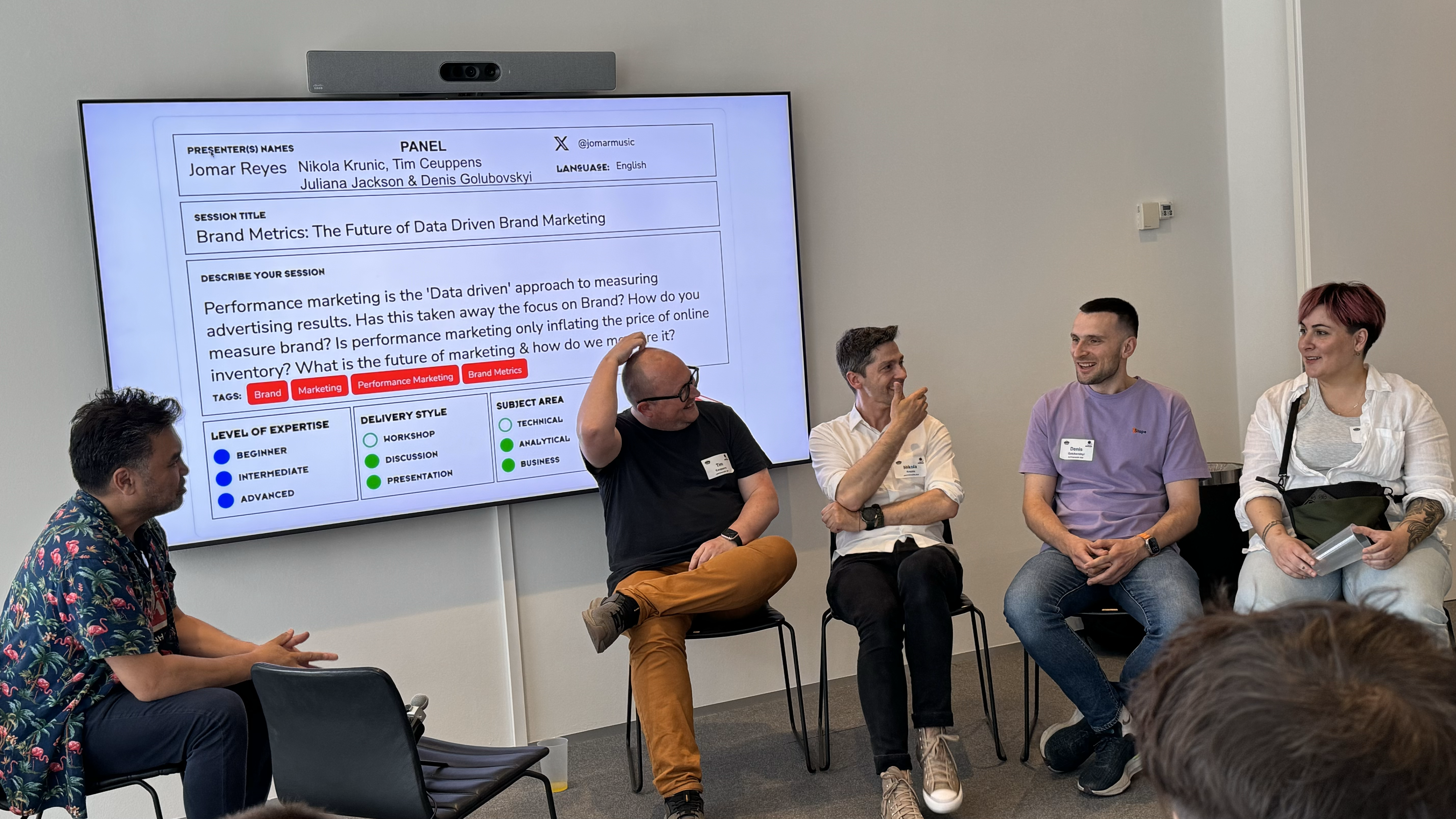
After the coffee break – when the beers were brought out, we’re in Denmark… – next up was a session doubling as a pop-up recording of an episode for the Inside brand leadership podcast. Hosted by Jomar Reyes with Tim Ceuppens, Nikola Krunic, Denis Golubovskyi and Juliana Jackson as guests. The panel discussed brand marketing in the context of digital analytics. Some very good insight were presented, so I highly encourage you to listen to the podcast when it airs! The bottom line of the discussion being, as Juliana so cleverly put it – not all marketing is advertising. And the brand marketing efforts are very hard to track, so don’t try to find them in your Google Analytics data. They are not quantitative by nature, the are qualitative. I so do agree with this. A little over a week ago, when I had the opportunity to talk to a distinguished group of marketing directors in Finland, I proposed the same conclusion. Some things are not trackable with digital analytics. For some insights you need to turn to more traditional methods such as surveys or interviews.
I ended the day with my own session on how to utilise R for data wrangling. I have done this same session last autumn in Stockholm, this spring in Helsinki and now again in Copenhagen. I have absolutely now other reason to do this but the pure joy of sharing something I am very happy with. I firmly believe that one should try to find the right tool for the right occasion and have myself harnessed R mainly for data wrangling and simpler analyses. I’ve also done some heavy lifting with it, but I seldom nowadays have the opportunity to do that. As soon as some customer needs some deeper analyses of their data though, I’ll be happy to dive in again! My session was attended by a group of persons, of whom I wish at least one would try out R and perhaps start using it. That would make me extremely happy! I was so glad to hear that Eelena Osti got inspired from my session in Helsinki and has started using R!

Cudos of course to the orgainising committe! Just mentioning some of you – Corie Tilly, Steen Rasmussen, Jomar Reyes, Juliana Jackson, Robert Børlum-Bach – but all of you should be proud of what you accomplished yesterday, it was great!

I wont even try to mention all of whom I chatted with during the day or the after party, as I am sure I’d miss some, so let’s just thank you all, and see you next time! And I wish you all more than welcome to MeasureCamp Helsinki in March 2025!

An extra special thank you though, to the sponsors enabling this MeasureCamp. These events are very important to our community and work both as knowledge sharing opportunities, network building events and recruitement opportunities. So thank you for supporting: Piwik PRO, Stape, Google, Sense8 Digital Technology , bmetric, Digital Power and Aller Media Denmark. Your help is so much appreciated!
The 2018 presidential election in Finland, some observations from a news analytics perspective

The presidential elections 2018 in Finland were quite lame. The incumbent president, Sauli Niinistö, was a very strong candidate from the offset and was predicted to win in the first round, which he did. You can read more about the elections for instance on Wikipedia.

Boring election or not, from an analytics perspective there is always something interesting to learn. So I dug into the data and tried to understand how the elections had played out on our site, hbl.fi (which is the largest swedish language news site in Finland).

We published a total of 275 articles about the presidential election of 2018. 15 of these were published already in 2016, but the vast majority (123) was pubslished in January 2018.

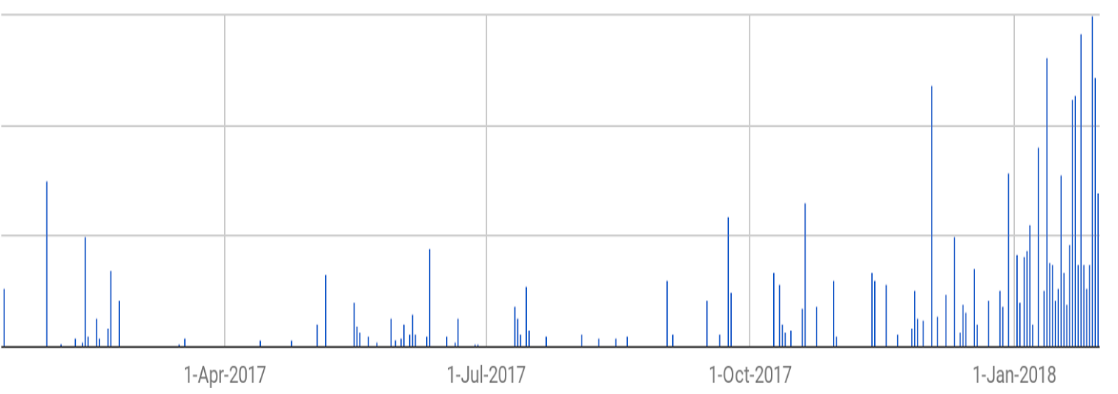
Among the readers the interest for the elections grew over time, which might not be that extraordinery (for Finnish circumstances at least). Here are the pageviews per article over time (as Google Analytics samples the data heavily i used Supermetrics to retrieve the unsampled data – filtering on a custom dimension to get only the articles about the election):

President_2018_per_day

Not much interesting going on there. So, I also took a look at the traffic coming in via social media. Twitter is big in certain circles, but not really that important a driver of traffic to our site. Facebook, on the other hand, is quite interesting.

Using Supermetrics again, and doing some manual(!) work too, I matched the Facebook post reach for a selection of our articles to the unsampled pageviews measured by Google Analytics.  From this, it is apparent that approximately one in ten persons reached on Facebook ended up reading our articles on our site. Or more, as we know that some of the social media traffic is dark.

The problem with traffic that originates from Facebook is that people tend to jump in and read one article and then jump out again. Regarding the presidential elections this was painfully clear, the average pageviews was down to 1,2 for sessions originating from Facebook. You can picture this as: Four out of five people read only the one article that was linked to Facebook and then they leave our site. One out of five person reads an additional article and then decides to leave. But nobody reads three or more articles. This is something to think about – we get a good amount of traffic on these articles from Facebook but then we are not that good at keeping the readers on board. There’s certainly room for improvement.

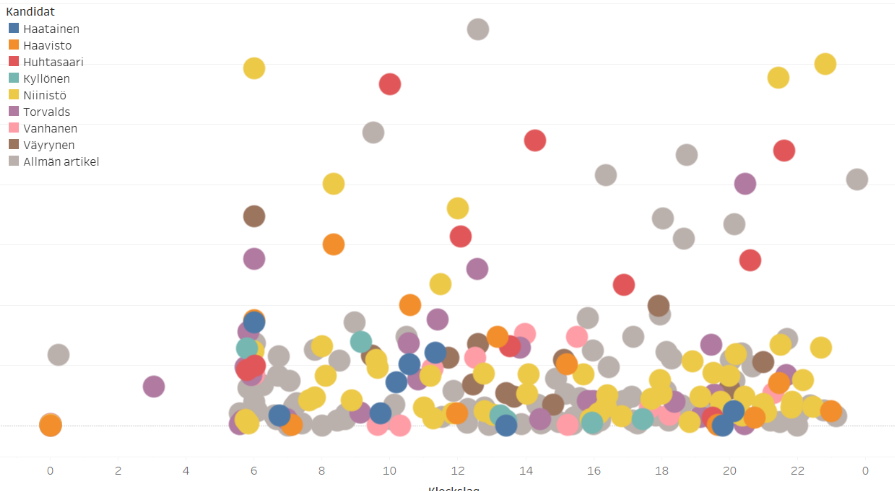
What about the content then? Which articles interested the readers? Well, with good metadata this is not that difficult an analysis. Looking at the articles split by the candidate they covered and the time of day the article was published:

President_2018_per_candidate

(The legend of the graph is in swedish => “Allmän artikel” means a general article, i.e. either it covered many candidates or it didn’t cover any candidates at all.)

Apart from telling us which candidates attracted the most pageviews, this also clearly shows how many articles were written about which candidate. A quite simple graph in itself, a scatter diagram coloured by the metadata, but revealing a lot of information. From this graph there are several take aways; at what time should we (not) publish, which candidates did our readers find interesting, should we have written more/less about one candidate or the other. When you plot these graphs for all different kinds of meta data, you get a quite interesting story to tell the editors!

So even a boring election can be interesting when you look at the data. In fact, with data, nothing is ever boring 😉


A note about the graphs: The first graph in this post was made with Google Sheets’ chart function. It was an easy to use, and good enough, solution to tell the story of the pageviews. Why use something more fancy? The second graph I drew in Tableau, as the visualisation options are so much better there than in other tools. I like using the optimal tool for the task, not overkilling easy stuff with importing it to Tableau, but also not settling for lesser quality when there is a solution using a more advanced tool. If I had the need to plot the same graphs over and over again, I would go with an R-script to decrease the need of manual clicking and pointing.


Google Analytics and R for a news website

For a news site understanding the analytics is essential. The basic reporting provided by Google Analytics (GA) gives us good tools for monitoring the performance on a daily bases. Even the standard version of GA (which we use) offers a wide variety of reporting options which carries you a long way. However, when you have exhausted all these options and need more, you can either use some kind of tool like Supermetrics or then query the GA api directly. For the latter purpose, I’m using R.

Querying GA with R is a very powerful way to access the analytics data. Where GA only allows you to use two dimensions at the same time, using R you can query several dimensions and easily join different datasets to combine all your data into one large data set that you then can use for further analysis. Provided you know R of course – otherwise I suggest you use a tool like the above mentioned Supermetrics.

For querying GA with R I have used the package RGoogleAnalytics. There are other packages out there, but as for many other packages in R, this is the one I first stumbled upon and then continued using… And so far, I’m quite happy with it, so why change?!

Setting up R to work with GA is quite straight forward, you can find a nice post on it here.

Recently I needed to query GA for our main site’s (hbl.fi, a newssite about Finland in swedish) different measures such as sessions, users, pageviews but also some custom dimensions including author, publish date etc. The aim was to collate this data for last year and then run some analysis on it.

I started out querying the api for the basic information: date (for when the article was read), publish date (a custom dimension), page path, page title and pageviews. After this I queried several different custom dimension one by one and joined them in R with the first dataset. This is necessary as GA only returns rows where there are no NA:s. And as I know that our metadata sometimes is incomplete, this solution allows me to stitch together a dataset that is as complete as possible.

This is my basic query:

# Init() combines all the query parameters into a list that is passed as an argument to QueryBuilder()
query.list <- Init(start.date = "2017-01-01",
                  end.date = "2017-12-31",
                  dimensions = "ga:date,ga:pagePath,ga:pageTitle,ga:dimension13", 
                  metrics = "ga:sessions,ga:users,ga:pageviews,ga:avgTimeOnPage",
                  max.results = 99999,
                  sort = "ga:date",
                  table.id = "ga:110501343")

# Create the Query Builder object so that the query parameters are validated
ga.query <- QueryBuilder(query.list)

# Extract the data and store it in a data-frame
ga.data <- GetReportData(ga.query, token, split_daywise=T)


Note this in the Init()-function:

  • You can have a maximum of 7 dimensions and 10 metrics
  • The max.results can (according to my experience) be at the most 99,999 (at 100,000 you get an error).
  • table.id is called ViewID in your GA’s admin panel under View Settings
  • If you want to use a GA segment* in your query, add the following attribute: segments = “xxxx”


Note this in the GetReportData-function:

  • Use split_daywise = TRUE to minimize the sampling of GA.
  • If your data is sampled the output returns the percentage of sessions that were used for the query. Hence, if you get no message, the data is unsampled.


* Finding the segment id isn’t as easy as finding the table id. It isn’t visible from within Google Analytics (or at least I haven’t found it). The easiest way to do this is to use the query explorer tool provided by Google. This tool is actually meant to aid you in creating api query UPIs but comes in handy for finding the segment id. Just authorise the tool to access your GA account and select the proper view. Go to the segment drop down box and select the segment you want. This will show the segment id which is in format gaid::-2. Use this inside the quotes for the segments attribute.


The basic query returned 770,000 rows of data. The others returned between 250,000 and 490,000 rows. After doing some cleaning and joining these together (using dplyers join functions) I ended up with a dataset of 450,000 rows. Each containing the amount of readers per article per day, information on category, author and publish date as well as amount of sessions and pageviews for the given day. All ready for the actual analysing of the data!


Supermetrics – Easy access to much data!

One nice and very handy tool for extracting data from various sources is an add-on to Google Sheets called Supermetrics. Using it you can access several different data sources, e.g. Google Analytics, Facebook Insights, Google AdWords, Twitter Ads, Instagram and many more. Once installed (and that’s super easy) it opens up as a side bar to your Sheet, like this:

supermetrics_sidebar

Then it’s more or less clicking the right options from the dropdown menus and you have a nice and handy report. Here’s some tips for using Google Analytics with Supermetrics:

1) Make sure that the account you are logged in to Google Sheets (and thus Supermetrics) also has access to the data you want to access.

2) Remember to have you the cell A1 selected before opening Supermetrics or your data will appear in some random corner of your spredsheet.

3) Pay attention when selecting the dates. If you plan to make a report that is auto-refreshing you need to choose the dates using the predefined intervals like today, yesterday, last week, last month, year to date etc. If you chose a custom interval, let’s say January 1st to Janyary 7th, the report will always show the result for these dates even though you ask it to refresh weekly.

4) Split by… rows and/or columns. This is the main benefit compared to querying Google Analytics directly. Here you can specify several dimensions for your data, in GA you only get two.

5) You don’t have to define any segments or filters. If you do, make sure that the account you’re logged in as also has access to these in Google Analytics (and that they are available for the view you are querying).

6) Under options make sure to tick both Add note to query results showing whether Google has used sampling and Try to avoid Google’s data sampling. You’ll see that many times Supermetrics is capable of supplying you with unsampled data where Google itself would give you sampled data.

Here’s a simple example, querying one of our sites for 2017 sessions, splitting the data by operating system and system version:

2017operatingsystems

Nothing spectacular, but very easy to use, easy to share. Absolutely one of my favourite tools!